Signia App vs Hearing Aid Remote Control: What’s the Difference?
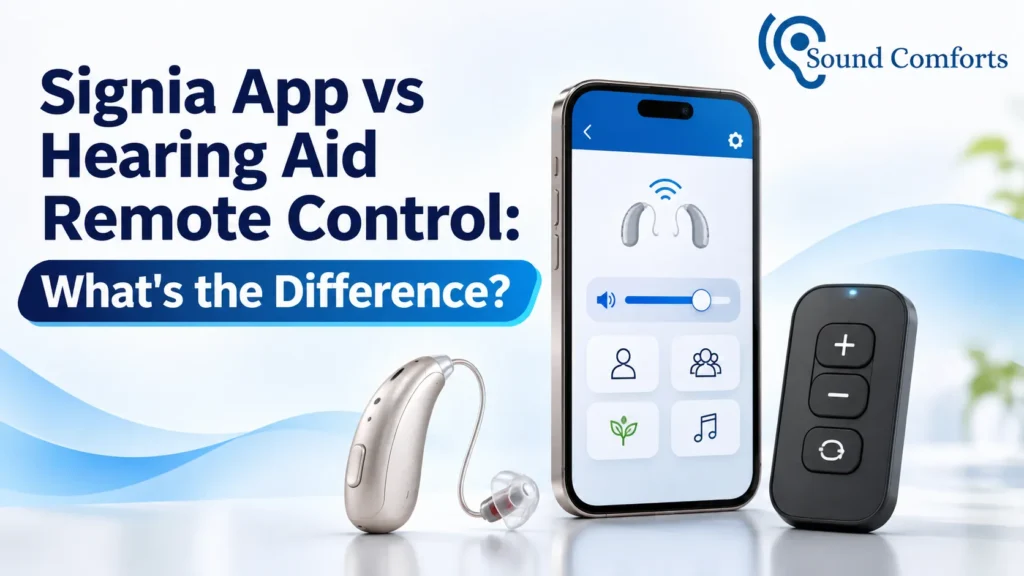
The Signia app turns your smartphone into a remote control for compatible Signia hearing aids. It also manages streaming accessories and can connect you to remote support from your hearing care professional. A hearing aid remote control, such as the Signia miniPocket, is a small separate device with buttons that needs no smartphone.
Many of our patients ask whether they need a phone app, a small remote, or both. At Sound Comforts we fit Signia hearing aids alongside Phonak, Widex, Oticon, ReSound and Starkey, so this question comes up in our clinics often. Our audiologists wrote this guide in plain language: what each option does, who it suits and what to check before you choose.
Quick summary
- The Signia app is free and runs on your smartphone. It changes programs and volume and manages streaming accessories.
- A remote control is a dedicated gadget with buttons. It needs no phone.
- The app does more, and the remote is simpler.
- StreamLine Mic is a third option that streams calls and audio, and it can also be controlled through the app.
- Compatibility depends on your hearing aid model, so confirm it before buying anything.
What does the Signia app do?
The Signia app is a free smartphone app for compatible Signia hearing aids, available on the Apple App Store and Google Play. It changes your hearing program and volume, adjusts bass and treble, and lets you shape microphone direction.
It also manages streaming accessories such as TV and microphone devices, and it can connect you to your hearing care professional through TeleCare. Signia says the app works with most of its range, while the Signia One app, which includes the AI-based Signia Assistant, is only for its MaX hearing aids. The app needs Android 7.0 or later, or iOS 11 or later.
What is a hearing aid remote control?
A hearing aid remote control is a small, dedicated device that changes your settings at the press of a button. It does a few jobs and does them with real buttons.
Signia’s miniPocket is an example. It is small enough for a key ring, and it has volume buttons, a program button and a key lock. Many of our patients like it because there is no screen to unlock, no menu to find and no phone to hold.
Signia app vs remote control: what is the difference?
The main difference is the device and the scope. The app lives on your smartphone and offers many functions, while a remote is a separate gadget that covers the basics.
Signia app compared with a remote control (miniPocket type)
| Feature | Signia app | Remote control |
|---|---|---|
| Needs a smartphone | Yes | No |
| Volume and program changes | Yes | Yes |
| Bass, treble and microphone direction | Yes | Not its job |
| Manages streaming accessories | Yes | No |
| Battery and connection status | Yes (Signia One app) | No |
| Remote support from your audiologist | Yes, if activated (TeleCare) | No |
| Feel in daily use | Touchscreen | Physical buttons |
The app is a full control centre, and the remote is a quick shortcut. Features vary by model, so we confirm the details for your own hearing aids.
Which Signia hearing aids work with the app or a remote?
Compatibility depends on the model, so check before you buy. Not every Signia hearing aid supports every app feature or every accessory.
For example, Signia says StreamLine Mic works with all Xperience and Nx hearing aids that have Bluetooth, and its page does not mention AX or IX models. Signia’s miniPocket page does not list compatible platforms either. Accessory availability and phone support can differ in India, so we check each one against your exact hearing aids at the appointment.
Where does StreamLine Mic fit in?
StreamLine Mic is a small accessory that sits between the two options. It streams audio, takes calls and can be controlled through the app.
Wearers can accept calls without taking the phone out of a pocket, and it works as a remote microphone in challenging situations such as crowded meetings, from up to 20 metres away. It runs for up to 6 hours on a full charge, which takes about 2 hours.
Not sure which control suits you?
The easiest way to decide is to try the controls on your own hearing aids with an audiologist beside you. Start with a free hearing test, or download our price list first.
Book Your Free Hearing Test | Download the Hearing Aid Price List
Who should choose the app, and who should choose a remote?
Choose the app if you are comfortable with a smartphone and want streaming and fine-tuning. Choose a remote if you prefer buttons or do not use a smartphone. The right answer depends on habits, not age.
| Your situation | Likely better fit |
|---|---|
| Comfortable with a smartphone, want calls and music in your hearing aids | Signia app |
| No smartphone, or you dislike touchscreens | Remote control |
| Want quick changes without opening a phone | Remote control |
| Want your audiologist to adjust settings between visits | Signia app with TeleCare |
| Often in meetings or noisy gatherings | StreamLine Mic |
| A family member helps you manage your hearing aids | Either; try both |
This table is a starting point. Your hearing test and lifestyle decide the final choice.
Can I use the app and a remote together?
For many Signia hearing aids, yes. Some people keep the app for streaming and detailed settings, and a key-ring remote for fast changes when the phone is out of reach. Whether your model supports both depends on the platform, so confirm it before you buy an accessory.
Can my audiologist adjust my hearing aids through the app?
Sometimes. Signia’s TeleCare feature allows remote support and video calls through the app, but your hearing care professional must activate it first. Signia also says its Signia Assistant can suggest simple adjustments for your current listening situation.
Ask us whether TeleCare can be set up for your hearing aids. It is a convenience for follow-up adjustments, and it does not replace a proper fitting.
What are the limits of the app and the remote?
Neither option fixes a poor fit, and each has trade-offs. Knowing them early avoids frustration.
- App: it needs a compatible smartphone and Bluetooth. Signia’s app page says it may ask for permissions such as notifications and location services, and for camera and microphone access during video calls.
- App: it is only useful if you actually carry and charge your phone.
- Remote: it is one more small item to keep track of, and it can be lost.
- Remote: it changes settings only. It cannot manage streaming for you.
- Both: they change settings. They cannot guarantee a particular hearing outcome.
How do we help you choose at Sound Comforts?
At our clinics, our audiologists start with a free hearing test. We then recommend and fit Signia hearing aids, or another brand if it suits you better, and we explain the controls in plain steps.
Bring your own phone to the appointment so we can try the app with you. Ask us about trial terms and aftercare as well, and get them in writing. You can find our clinic locations on our site.
Conclusion
The Signia app and a hearing aid remote control solve the same everyday problem in different ways. The app gives you wide control and remote support through a smartphone, while a remote offers simple buttons with no phone needed. If you are still unsure, try both with your own hearing aids before you decide. To book a free hearing test, call us on 080-468-10185 or write to info@soundcomforts.com.
Frequently asked questions
Is the Signia app the same as a remote control?
Not exactly. The app includes remote control features, but it also manages streaming accessories and offers TeleCare. A remote control is a separate device with a smaller set of functions.
Do I need a smartphone to control Signia hearing aids?
No, not always. Some models have buttons, and a separate remote such as the miniPocket can help. Which options work depends on your model, so confirm it with our audiologists.
Is the Signia app free?
Yes. The app is freely downloadable from the Apple App Store and Google Play. The hearing aids themselves are paid separately.
Can an audiologist adjust my Signia hearing aids remotely?
Possibly, through TeleCare. It is available once your hearing care professional has activated it. Ask us during your fitting.
Which is easier for an older family member?
It depends on the person. Someone used to a smartphone may like the app, while someone who prefers buttons may find a remote easier. Trying both during a fitting visit is the safest way to find out.